Development
How to Turn a Figma Design into a Working Landing Page
How to prepare your design and turn it into a responsive, fast-loading page that is ready to launch.
3 min read
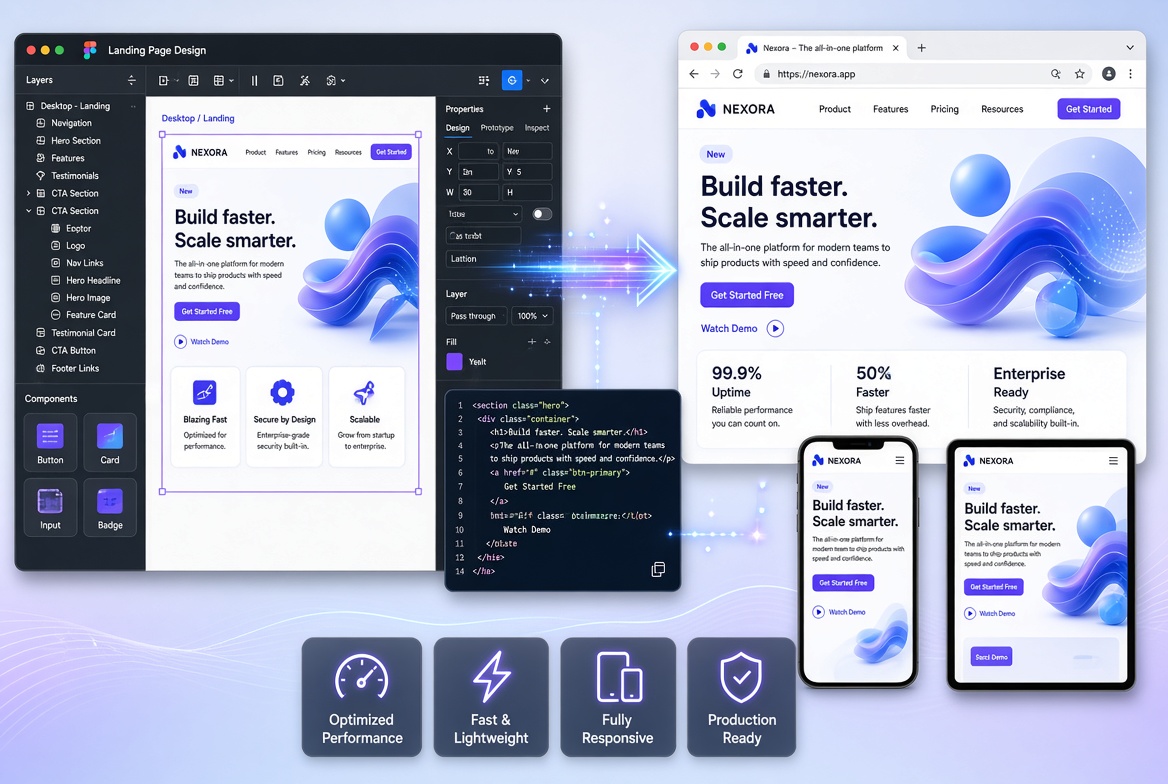
You've got your landing page design ready in Figma. The layouts look right, the colours are finalised and the content is taking shape.
Now you need to turn that design into a working website.
This is where landing page development comes in. A frontend developer takes your design and implements it using code, making it responsive, interactive and ready for real visitors.
Here's how the process works and what you should prepare before hiring a developer.
What does Figma-to-landing-page development mean?
Figma-to-landing-page development is the process of converting a visual design into a functional website.
The developer uses your Figma file as a reference for:
- Layouts and section structure.
- Typography and font sizes.
- Colours and visual styles.
- Spacing and alignment.
- Images and illustrations.
- Buttons and interactive elements.
- Desktop and mobile layouts.
The objective is to implement the design accurately while ensuring the final page works properly across devices and browsers.
Step 1: Prepare your Figma design
Before development begins, organise your design file.
Ideally, it should include:
- A complete desktop layout.
- Mobile layouts or responsive design guidance.
- Final text and headings.
- Images, icons and illustrations.
- Font information.
- Colours and design styles.
- Details about interactive elements.
Your design doesn't need to be perfect, but missing information can create questions and slow down development.
Step 2: Review the page structure and functionality
Before writing code, the developer should understand how the page is supposed to work.
For example:
- Does the navigation need a mobile menu?
- Should buttons scroll to a particular section?
- Does the contact form send enquiries somewhere?
- Are there animations or interactive elements?
- Are there external services that need to be connected?
These details should be agreed upon before implementation.
Step 3: Convert the design into frontend components
The developer translates the Figma design into reusable frontend components.
For example, a landing page may contain:
- Header and navigation.
- Hero section.
- Features and benefits.
- Product screenshots.
- Testimonials.
- Pricing.
- FAQs.
- Footer.
Reusable components make the implementation easier to maintain and help keep the design consistent.
Technologies such as React and Next.js are commonly used for this type of frontend development.
Step 4: Make the landing page responsive
A desktop design is not automatically a mobile-friendly website.
The developer needs to adapt layouts for smaller screens, including:
- Navigation and menus.
- Typography and spacing.
- Image dimensions.
- Multi-column sections.
- Buttons and forms.
- Content ordering.
Responsive implementation should preserve the most important information and actions without forcing visitors to zoom or scroll horizontally.
Step 5: Optimise performance and SEO
Once the page is implemented, it needs to be prepared for real users and search engines.
This includes:
- Optimising image sizes and formats.
- Using appropriate HTML elements.
- Adding page titles and meta descriptions.
- Creating a logical heading structure.
- Checking loading performance.
- Ensuring important content can be crawled.
- Testing links and forms.
The goal is to deliver a page that is visually accurate, usable and technically sound.
Step 6: Test and launch the landing page
Before launch, test the page across common screen sizes and browsers.
Check that:
- Navigation works correctly.
- Forms submit as expected.
- Buttons lead to the correct destinations.
- Images display properly.
- Text is readable on mobile.
- There are no obvious layout issues.
- SEO metadata is configured.
Once approved, the page can be deployed to your hosting environment.
What do you need to provide to a landing page developer?
To get started efficiently, prepare:
- Your Figma design link.
- Final page content, if available.
- Your logo, images and brand assets.
- A list of required integrations.
- Your preferred domain and hosting details.
- Your target launch date.
If you don't have everything ready, discuss the missing requirements before development starts.
Ready to convert your Figma design into a landing page?
I help founders, SaaS businesses and small companies turn Figma designs into responsive, fast-loading landing pages using React, Next.js and TypeScript.
If your design is ready and you need a developer to bring it to life, discuss your landing page project.
Learn more about my Figma to code service and landing page development service, or see recent projects.